
Next Level Multilingual Support: Introducing AI-Powered Replies in Swifteq’s Translate Conversations
Sorin Alupoaie · · 3 minutes read

At Swifteq, we believe every customer deserves fast, clear, and helpful support in any language. That’s why we’re thrilled to announce a brand-new update to our Translate Conversations app for Zendesk.
This update takes your multilingual support to a whole new level backed by AI that helps your team craft full, professional replies in seconds.
What’s New?
The new AI Reply feature allows your support team to:
-
Instantly generate complete customer responses from just a few words.
-
Polish or expand a rough draft into a natural, empathetic message.
-
Add links to Help Center articles — automatically integrated into the reply for full context.
-
Translate the response into any language with a single click.
Whether your agents are multilingual or not, they can now respond confidently and naturally in any language, without switching tabs or tools.
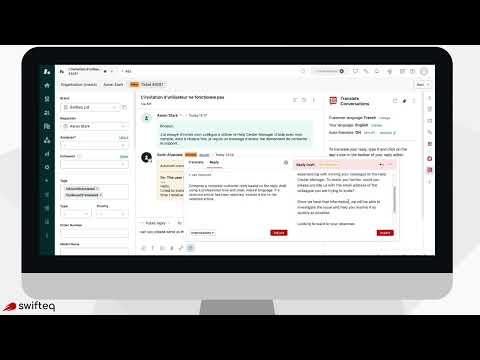
How It Works
When composing a message in Zendesk, click the Translate Conversations icon in the composer. You’ll see two tabs on the left:
-
Translate tab – your familiar translation workspace.
-
Reply tab – the brand-new feature for generating AI-assisted customer replies.
Here’s what happens next:
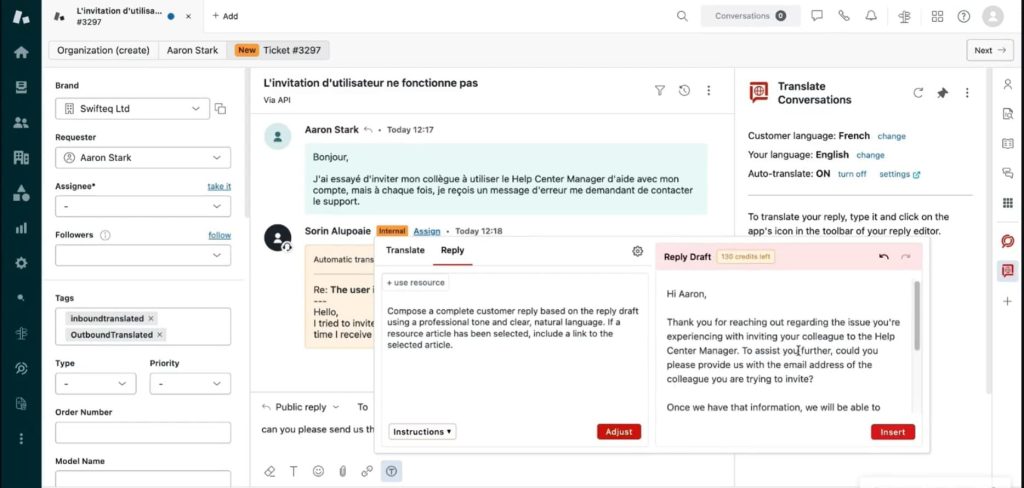
1. Generate or Improve a Reply
In the Reply tab, type a few words or a short draft, or simply let the app pull in the text you already wrote in Zendesk’s comment box.
Then click **“Adjust.”**In seconds, the AI transforms your input into a complete, polished message that’s ready to send or translate.
2. Enrich with Help Center Articles
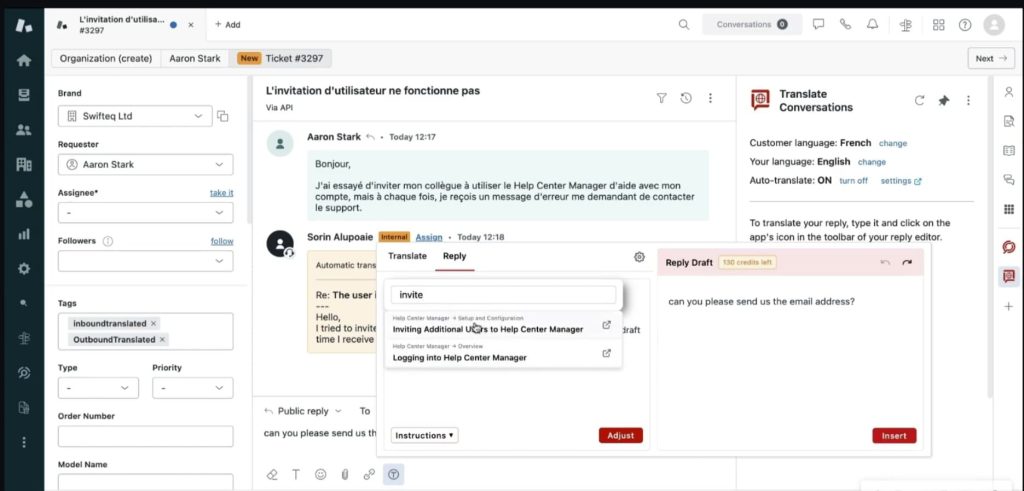
Want to make the response even more helpful? Search your Help Center articles directly from within the app.
-
Choose a relevant topic (for example, “invite”)
-
Click Adjust again
The AI automatically adds the article link and incorporates key details from it into your message, giving customers everything they need in one clear, professional reply.
3. Translate and Send
Once your message looks good, you can:
-
Send it immediately in English, or
-
Switch to the Translate tab, click Translate, and get an instant translation ready to insert into composer.
Admin Configuration Options
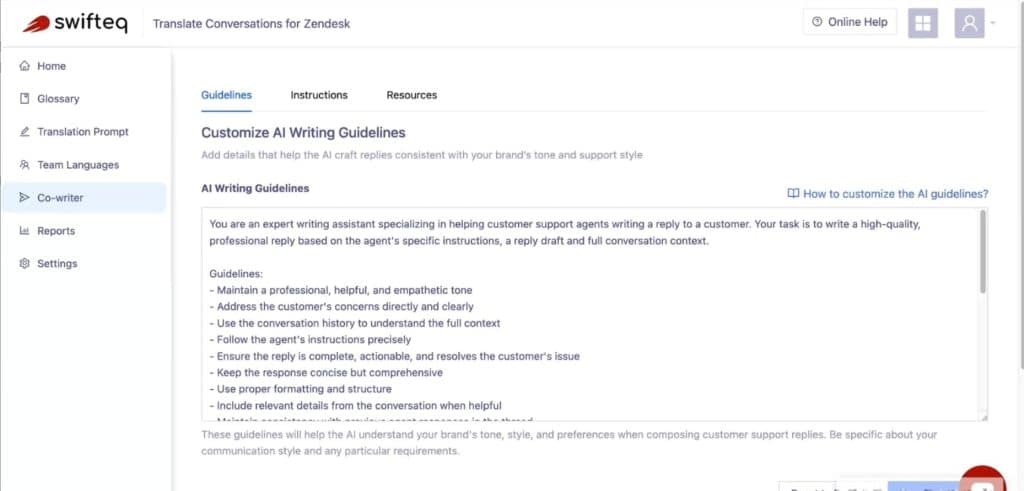
For Zendesk admins, there’s even more flexibility. Under the gear icon, you can:
-
Edit your AI writing guidelines to match your brand tone.
-
Create or update predefined instructions for your team.
-
Connect your Help Center as a content resource for replies.
That means every message your team sends can pull accurate, on-brand information directly from your company knowledge base ensuring consistent, high-quality communication in every language.
Why It Matters?
With this new update, your team can:
✅ Reply faster – no need to write from scratch.
✅ Communicate clearly – even without language skills.
✅ Deliver consistent, brand-aligned messages.
✅ Support customers globally with confidence.
In short, Translate Conversations now helps your team sound local everywhere, combining AI writing assistance with instant translation for seamless multilingual support.
Experience the Future of Multilingual Support
Ready to see it in action?
Open Translate Conversations in Zendesk, explore the new Reply tab, and discover how easy it is to create, adjust, and translate your next customer message. Or ask for a quick demo.
Your team doesn’t need to be multilingual, now your support workflow is.