Free
For light, individual use
Start for Free- 500 MCP calls a month
- Shared across your whole team
- No credit card required

Automation Apps
Merge Zendesk TicketsMerge Freshdesk TicketsAuto Remove AttachmentsTicket ClassificationDocument Parser OCRTicket Parser AutofillZendesk ChatGPT AutomationHelp Center Apps
Help Center ManagerHelp Center Translate for ZendeskHelp Center Translate for IntercomHelp Center AnalyticsHelp Center ExportMacro ExportAssist Apps
Agent Co-writerTranslate ConversationsMCP Server for ZendeskAdvanced Search PlusArticles PDF ExportEnable AI-powered summaries, insights, tagging, and trend detection using your favorite MCP-compatible tools Claude, ChatGPT, Cursor, and more. No extra plugins, no switching tools.
Free for up to 500 calls a month. No credit card required.
❤️ by customers and rated ⭐⭐⭐⭐⭐ on Zendesk Marketplace
Trusted by
Join companies who use Swifteq to scale support without adding headcount.





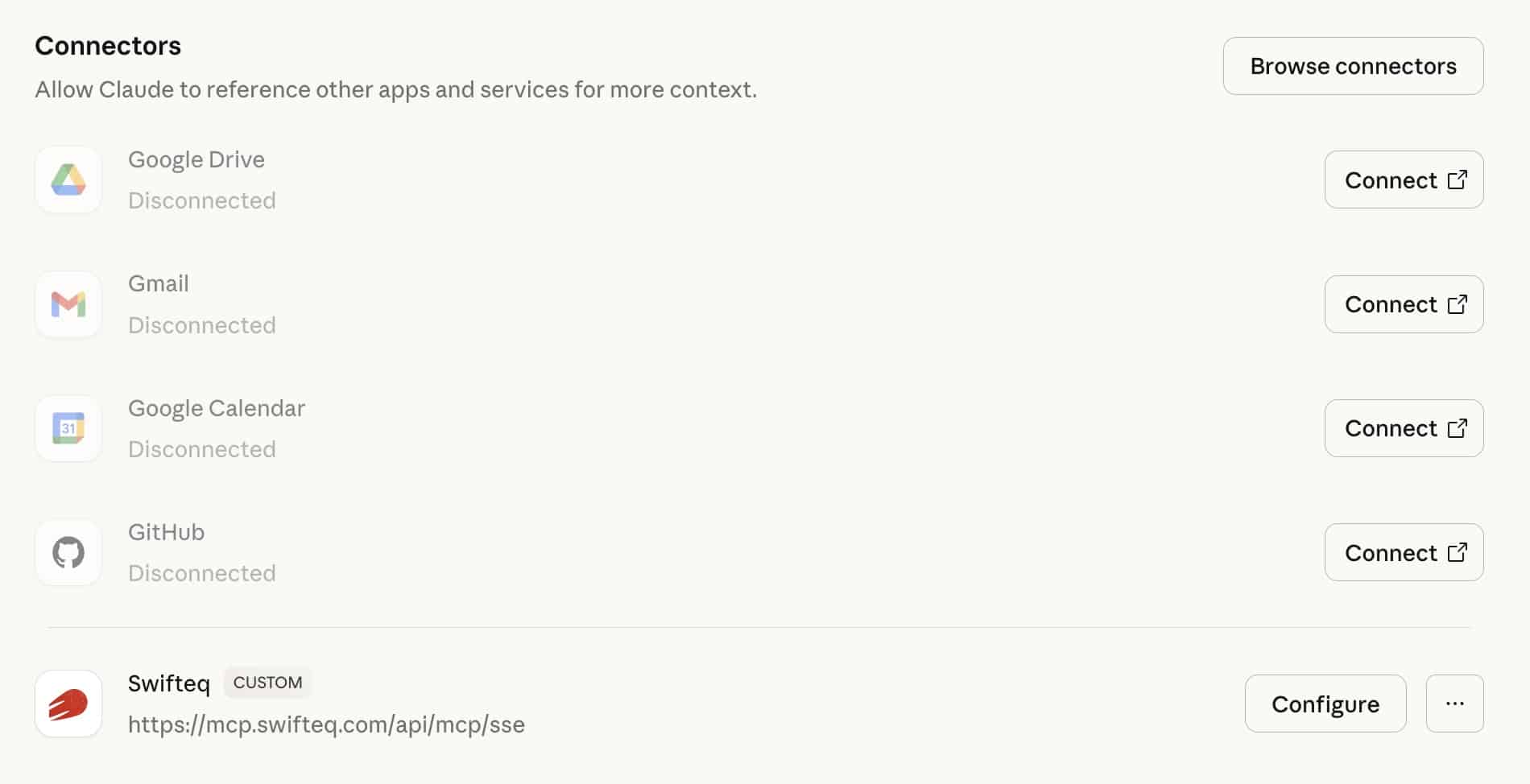
Easily connect your Zendesk Support instance to any MCP-compatible AI assistant: Claude Desktop, ChatGPT, Cursor, or any other supported tool.
Zendesk MCP Server serves as a secure, real-time bridge that lets your AI client fetch, read, and analyze ticket data on demand.
With this connection, you can:
Your team gets instant AI capabilities inside their existing workflow, while your data stays under your control.
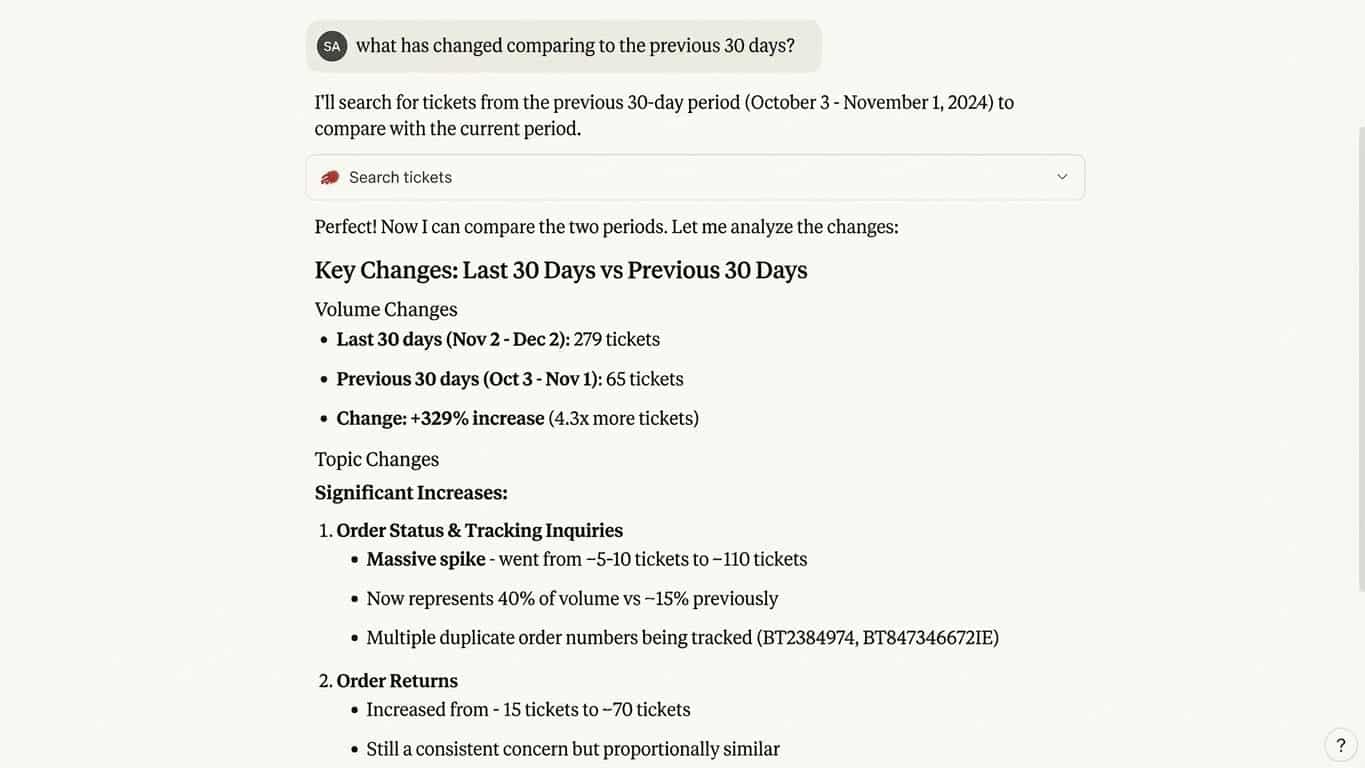
Ask your AI assistant natural language questions and get immediate, structured insights drawn directly from your Zendesk ticket history.
Whether you want trends, comparisons, anomalies, or recurring themes, your MCP client can extract meaningful patterns instantly.
Examples of what your AI can uncover:
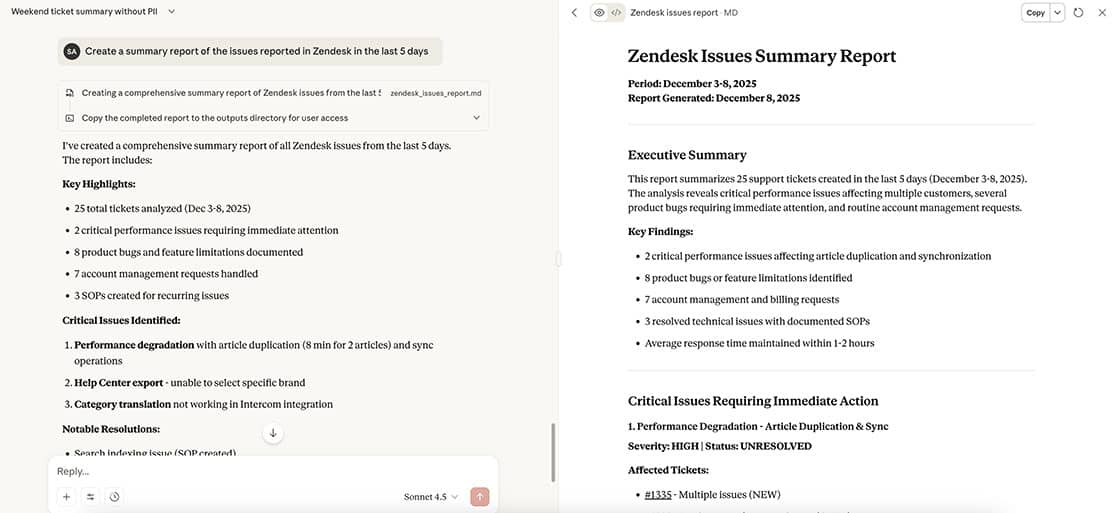
Generate fast, accurate summaries of lengthy or multi-message tickets, enabling your team to understand complex interactions in seconds.
AI summaries highlight:
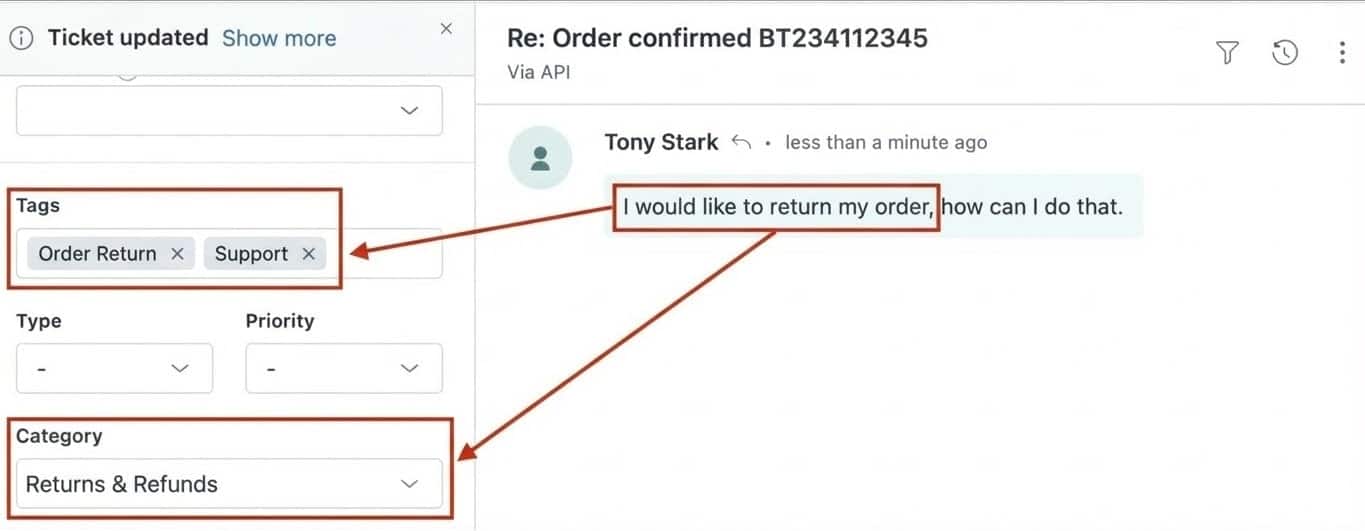
Use AI to automatically identify themes and metadata in your tickets, improving routing accuracy and reporting quality across the organization.
AI classification reduces manual tagging work and helps maintain structured, consistent data over time.
AI-assisted classification helps you:
MCP Server for Zendesk gives you the freedom to use any AI ecosystem you prefer—without vendor lock-in, licensing complexities, or workflow constraints.
This flexible architecture allows you to:
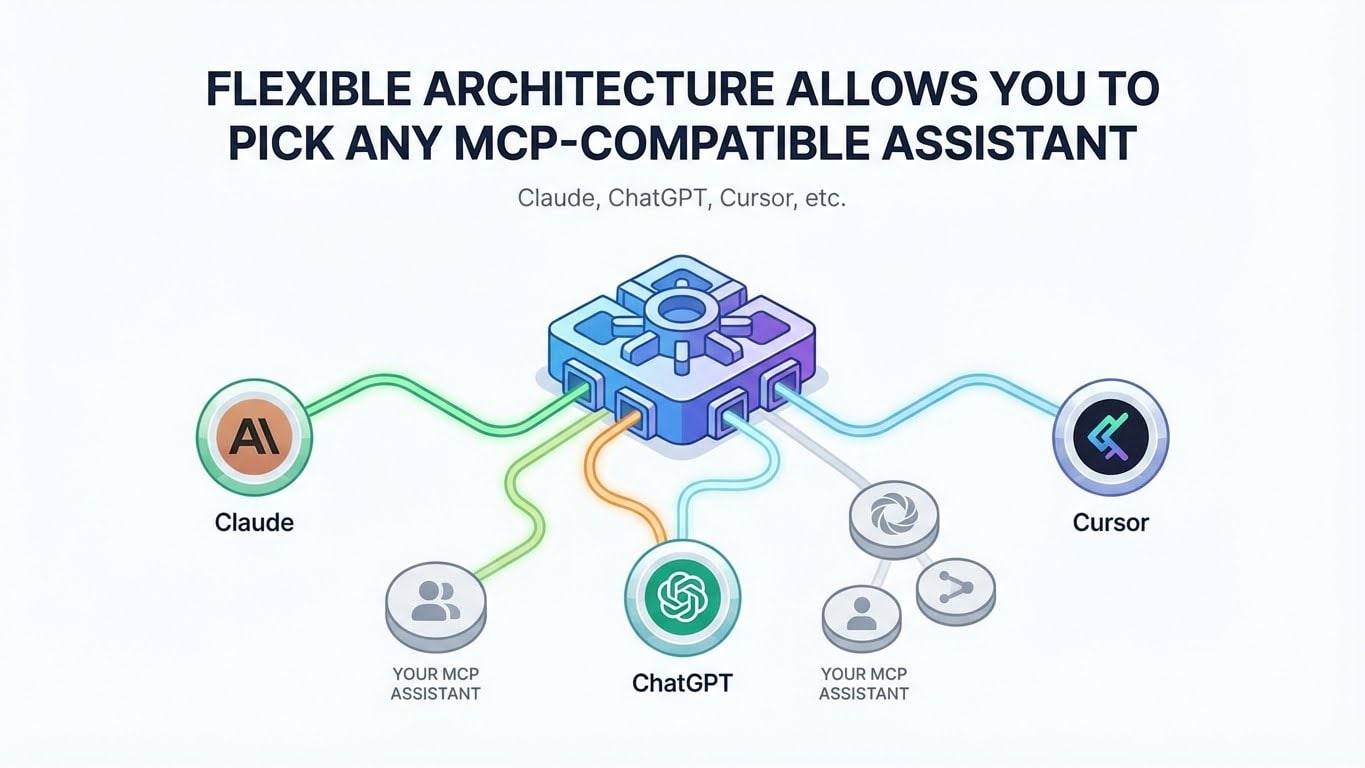

Automate summaries, tagging, and data extraction so agents spend more time solving issues, not processing information.

Let teams explore customer issues conversationally, even without Zendesk access. MCP tools provide an intuitive, natural language interface.

Turn unstructured ticket data into clear, actionable insights that improve decision-making across support, product, and engineering.
Customers
“This is a great MCP server. It perfectly and simply does what we need it to do. Total Game Changer for our workflow, worked perfectly and we are now expanding our use of it.”
“Works great! Total game changer for handling support. Recommend this for everyone that uses Zendesk.”
“The MCP Server has been very useful, allowing us to pull Zendesk tickets for external analysis and the tracking of incident vs device register. Integrates very easily with Claude and functionality has been great.”
Pay for the people using it, not for how much they use it.
Free
For light, individual use
Start for Free€49
per account, per month
Get StartedThe free allowance is per Zendesk account, shared across everyone at your company, so your team works from one account rather than one each.
It started as a free side project. It now has hundreds of users, real infrastructure costs, and a support load I cannot fund from nothing. Charging for it is what lets it keep being maintained and improved.
One tool call. If your assistant searches tickets and then opens three of them, that is four calls. Failed calls are not counted, and checking your usage does not count either.
Per Zendesk instance. Everyone at your company connecting the same Zendesk shares one allowance, whether you are on one Swifteq account or several.
No. The free tier covers 500 calls a month, which is more than three quarters of current users make. To see where you stand, ask your AI assistant “what’s my Swifteq MCP usage?”.
The 1st of each month, for free accounts. Paid plans have no allowance to reset.
Calls return a clear message with your usage and a link to upgrade. Nothing is deleted, and nothing is charged automatically.
No. Paid plans are unlimited. You pay for the people using it, not for how much they use it.
Yes, and from 1 October that is the intended setup, because it is cheaper. The account owner invites colleagues as users at €9 a month each. If instead each person keeps their own account, each of those accounts needs its own €49 plan once the shared allowance is used up. For a team of ten that is €130 a month on one account against €490 on ten.
Email support@swifteq.com and tell us which account should be the main one, and we will merge them for you.
A month of notice before the change, and two more weeks after it before anything is enforced. There is one price, and it is the same for everyone — no discount tiers to compare yourself against later.
No. Nothing about how the server handles your data changes. Your Zendesk data is accessed through permission-controlled API calls only when requested, and is never stored or retained.
Then you will have a choice, which is healthy. The free tier here is not going away.
Not today. If that is a hard requirement for you, email support@swifteq.com and tell us what is driving it.
From the billing page in your account, any time. It stops at the end of the period you have paid for.
Demo
Ready to improve your support workflows? Let us show you what Swifteq can do.
Also from Swifteq
Zendesk Automation Apps

Automatically connect Zendesk to any MCP-compatible AI assistant and unlock instant, secure ticket summaries, insight analysis, and smart tagging, giving your support team data-driven clarity and saving hours on manual work. Pricing starts at €9/agent/month.

Localize your Zendesk Help Center with AI. Auto-translate articles to and from any modern language, while keeping the same formating. Pricing starts at €79/month.