Swifteq

Export Your Zendesk Help Center Articles to CSV. Find and Export Broken Links.

Get a 100% free, simple CSV export of your entire help center. Check and export any type of broken link: internal, external, images, videos.

Note: only public articles are checked for broken links. For a full-featured link-checking solution try our Help Center Manager app

Zendesk Export articles featured image

Need flexible Zendesk export articles or advanced link checking?

  • Advanced exports (CSV, Word, HTML, PDF).
  • Find and replace.
  • Duplicate articles.
  • Fix broken links.

Zendesk Marketplace

Loved by customers

❤️ by customers and rated ⭐⭐⭐⭐⭐ on Zendesk Marketplace

Zendesk Marketplace review by AxelZendesk Marketplace review by AliciaZendesk Marketplace review by JAckZendesk Marketplace review by Katie

Trusted by

Trusted by Support Teams Worldwide

Join companies who use Swifteq to scale support without adding headcount.

  • Primrose
  • Trade Republic
  • Hotjar
  • Engine Yard
  • Seesaw

Why Export Your Zendesk Help Center Articles?

Your Zendesk help center is a powerful tool for self-service and scaling your customer support team. A robust, up-to-date, centralized knowledge base helps you serve more customers faster for less money.

Zendesk Guide includes many features that enable you to build a great help center — but it’s far from perfect.

For example, in Guide’s native UI, you can’t easily find broken links across your help center articles. It’s also not easy to zoom out and get a holistic view of your help center’s categories, sections, languages, and more.

That’s where Help Center Export comes in.

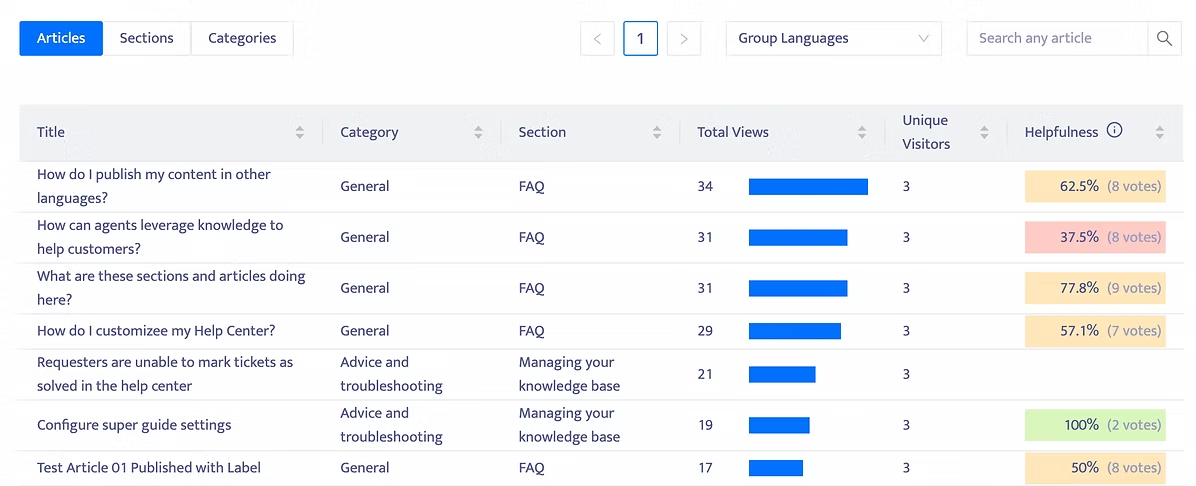
With our free Help Center Export app, you’re able to export your entire Zendesk help center as a CSV with just a few clicks. Once exported, you can upload the data to Google Sheets or Excel, giving you a birds-eye view of every article in your knowledge base.

This holistic view makes it easy to do things like:

  • Find broken links or images.

  • Understand when each article was last updated.

  • Plan and execute an audit or revamp of your help center.

  • And more.

There’s no better way to get a quick view of your help center’s current state and opportunities. And it’s 100% free, so you can get started today with no ongoing commitment or payment necessary.

  • Get your Help Center offline with easy CSV export

    Export all your articles and any meta-data: title, section, link, labels, updated time.

    Export all references to internal and external docs.

    Detect and export broken links and images for each article.

  • Keep your Help Center clean of broken links

    Check for any type of broken link:

    ✅ Internal links within the same help center.

    ✅  External websites.

    ✅  Broken images.

    ✅  Broken videos.

    Note: only public articles are checked for broken links. For a full-featured link-checking solution, try our Help Center Manager app.

Benefits You’ll Highly Appreciate

Time-Saving Efficiency

Quickly obtain a holistic view of your help center’s content, enabling you to plan audits, updates, or revamps without the need for manual data collection.

Improved Content Quality

By detecting and addressing broken links and images, you enhance the reliability and professionalism of your help center, leading to a better user experience.

Peace of Mind with Backups

Safeguard your content with regular backups to ensure you never lose important knowledge base data.

How it works

How the Help Center Export Works?

  1. 1

    Register for a Swifteq account.

  2. 2

    Authorize the app to read your Zendesk Guide data.

    The app connects securely to your Help Center via Zendesk’s API.

    ONLY the Help Center articles and their content are accessed and saved temporarily.

    ALL your data is removed automatically after the export is generated.

  3. 3

    Receive your FREE CSV export in your Inbox: 

      • All the articles in your help center and their plain text content.

      • List of broken links and images for each public article.

Integrates seamlessly with Zendesk Guide

zendesk_guide

The Zendesk export articles and knowledge‑management app that keeps your help center tidy.

Demo

Schedule a Demo!

Ready to improve your support workflows? Let us show you what Swifteq can do.

1 demo CTA

Also from Swifteq

Clients Using Help Center Export Also Use

Zendesk Automation Apps

Help Center Manager

Simplify your knowledge base management by exporting, editing, and optimizing help articles in bulk. From fixing broken links to translating content and tracking performance, it’s an easy way to keep your help center accurate, multilingual, and analytics-driven. Pricing starts at €89/month.

Find Out More

Translate Conversations

Communicate with customers in any language directly in Zendesk using  AI-powered translation. Reduce costs, boost team efficiency, and deliver faster multilingual support.  Pricing starts at $7/agent/month.

Learn More about Translate Conversations